Train by doing, not reading.
Interactive digital twins of your equipment, where technicians practice complex, high-risk procedures until they're floor-ready. Practice happens off the production floor: no machine time, no scrap, no one in harm's way.
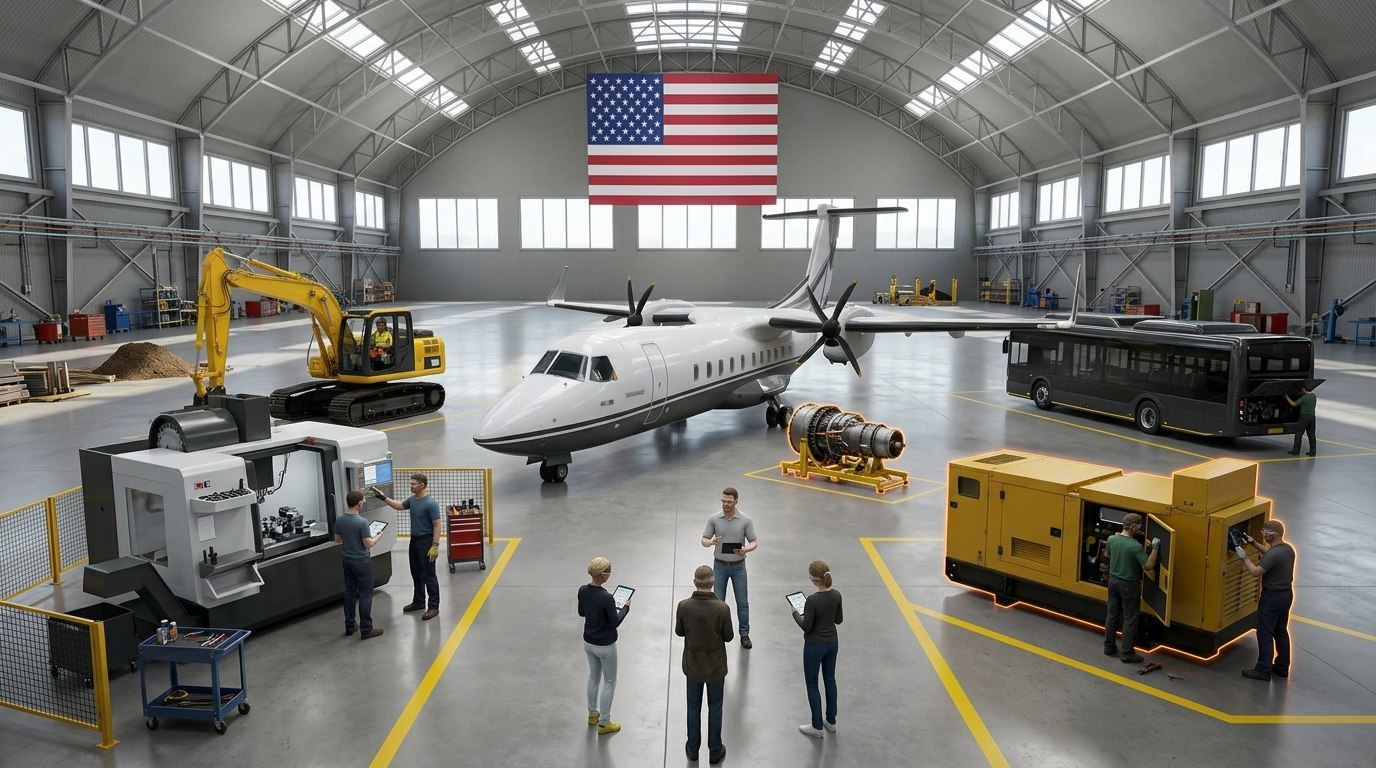
ST-01 · Regional turbopropWalk around the aircraft before it flies and find the damage a quick look would miss.
ST-02 · Turboprop engineRoute the borescope on the stand, read every blade, and log what you find.
ST-03 · Electric busIsolate the high-voltage battery before service, then prove it's dead.
ST-04 · ExcavatorDo the daily walkaround, start up safely, then learn the controls from the operator's seat.
ST-05 · CNC machineSet the fixture, load the program and run the first part with an expert watching.
ST-06 · Standby generatorLock it out before you open a panel. It's the same skill as the drill below.Try the lockout drill ↓
ST-07 · Expedited onboardingNew hires practice every station before their first shift, so they reach the floor ready sooner.
Make the press safe.
This is how VITE feels. Lock out a hydraulic press before maintenance by working the equipment in the right order: seven steps, from warning the crew to proving nothing can move. Get one wrong and you see what would have happened, then try again.
Swipe the drawing to see the whole work cell →
In a real module this record goes to your LMS, so supervisors see who is ready, who needs another run, and which step trips people up.
What your LMS receives · xAPI statement
Simplified demo of the lockout sequence in OSHA 29 CFR 1910.147(d). A real module follows your site's written energy-control procedure.
Manuals can't keep up.
Manuals, videos and shadowing are slow and inconsistent, and they're risky when equipment is expensive and experts are retiring. Flip the switch to compare.
Cost per trainee
Travel, instructor days and consumables for every class.
Build it once, then run it for every new hire at every site.
Knowledge transfer
Know-how lives in a few senior heads, and they're retiring.
Your experts' methods, captured once in a repeatable module.
Safety
The first real attempt happens on live equipment.
Mistakes happen in the twin. Learners see the consequence without suffering it.
Consistency
Quality depends on which trainer you shadowed.
Every technician gets the same procedure, to the same standard.
Access
Wait for the class, the trainer and the machine.
Practice on demand, on any device, at any site.
Downtime
Training takes real equipment out of production.
Equipment keeps running while people practice.
Proof of skill
A signed attendance sheet.
Time, errors and completion for every learner, in your LMS.
What hands-on training costs you.
Move the sliders to match your operation. The estimate uses only your inputs. It leaves out scrap, equipment damage and incidents, which VITE can also reduce.
Estimate from your inputs, before the cost of building the module. Not a quote.
Talk through your numbers →From your experts' heads to every technician's hands.
Sit with the people who know.
We work alongside your senior technicians and engineers to record how the job is really done, including the judgment calls that never make it into the manual.
- Expert walkthroughs and interviews
- Your procedures, CAD and photos or scans
- Learning goals tied to real roles
- SOP-114 Press energy control
- CAD · press assembly
- Site photos · 214
- Expert session · 2 h
- Role: maintenance tech I
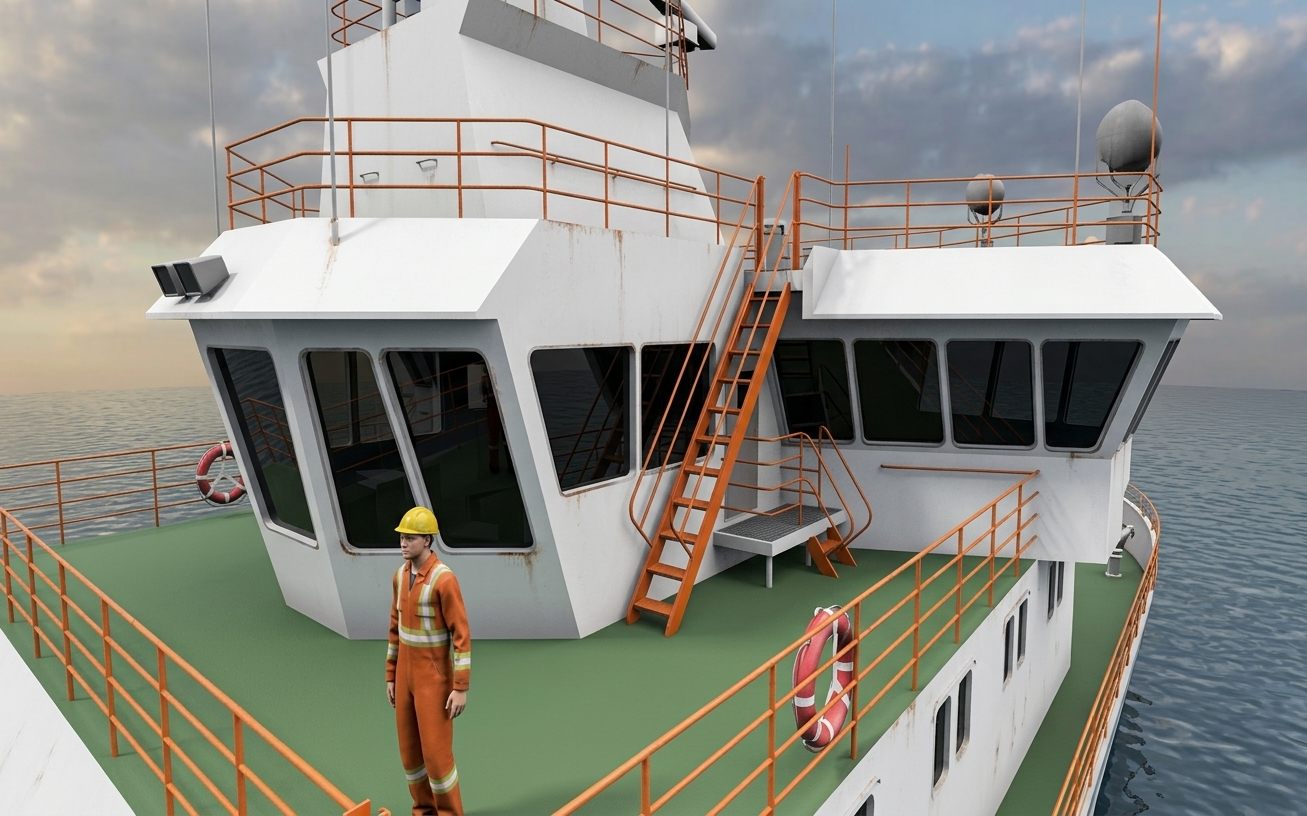
Rebuild your equipment in 3D.
Our industrial and digital designers model your machines, tools and facility, accurate enough to recognize and light enough to run in a browser.
- Custom 3D assets of your equipment
- Your facility, layout and signage
- Characters and crews for team procedures
Turn the procedure into practice.
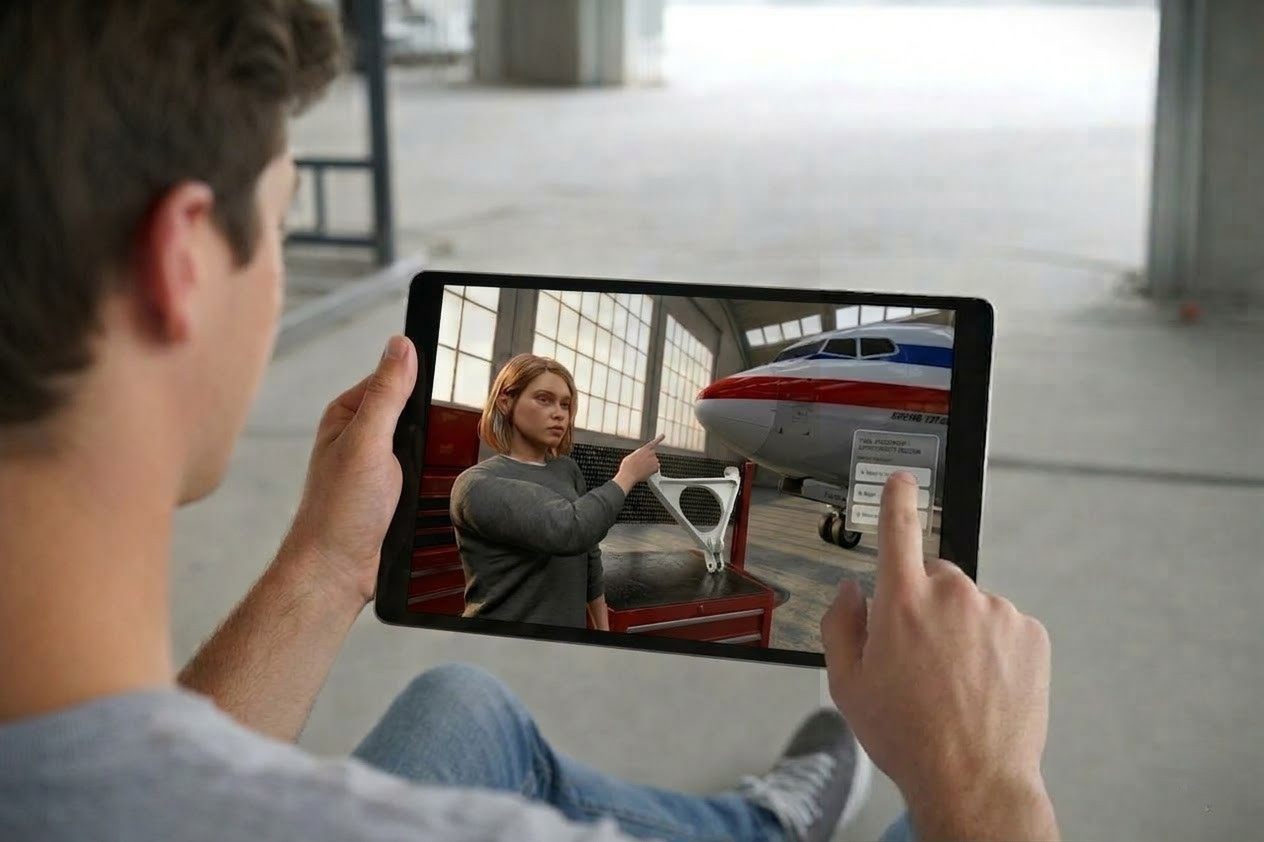
Each step becomes something to do, not something to read. We add decisions, fail-forward branches that show what goes wrong, and an assessment mode with no hints.
- Step-by-step interactive guides
- Fail-forward emergency scenarios
- Guided and assessment modes
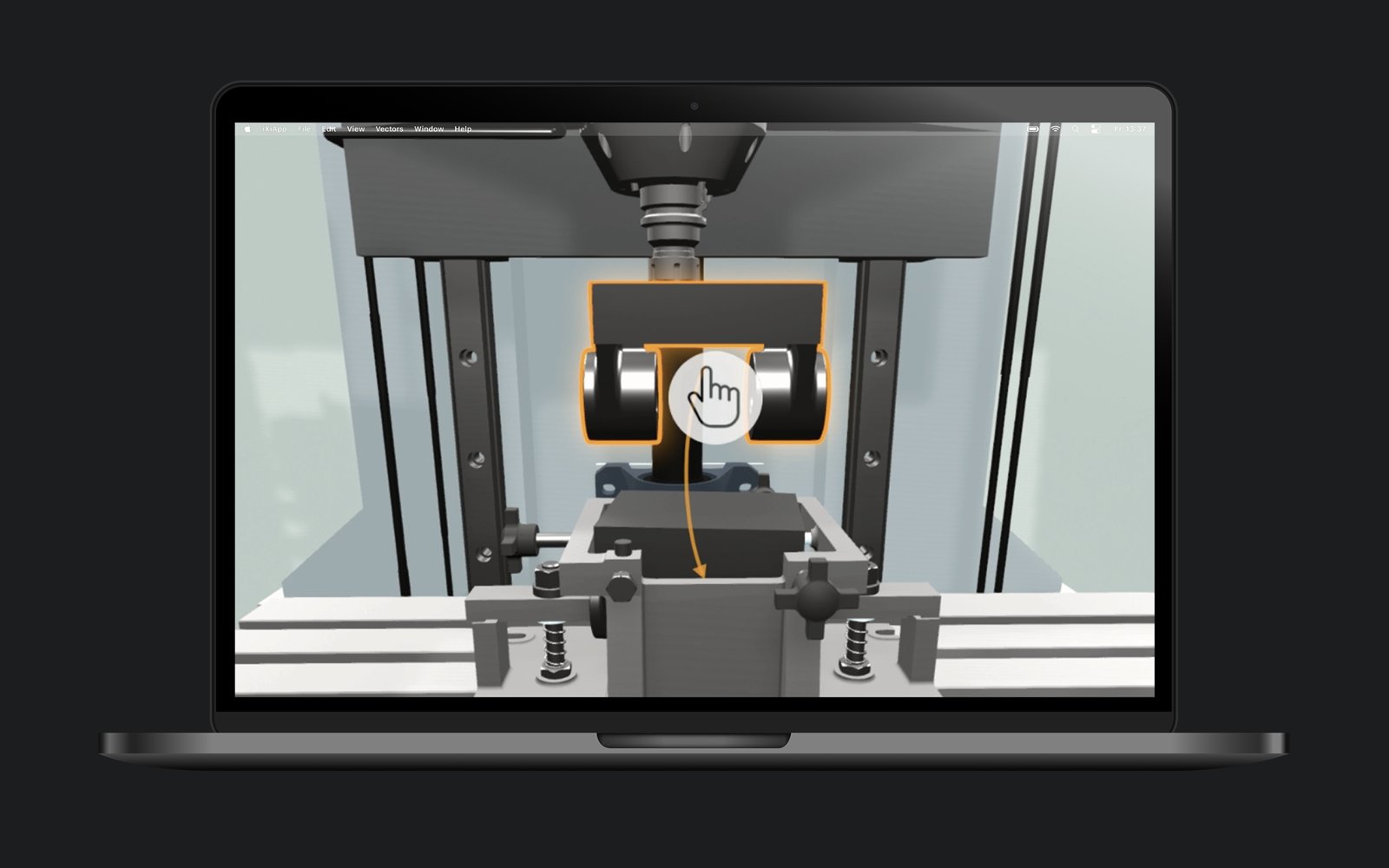
Put it on every device.
Modules run in the browser on desktops, tablets and phones, so dispersed teams can train at the site or at home. Results report to your learning management system.
- Runs in the browser, nothing to install
- Desktop, tablet and phone
- Completion and scores sent to your LMS
See who's ready, and fix what isn't.
Every session leaves a record. You see completion, errors and time-to-proficiency. We see which step trips people up, and revise the module quickly.
- Competency and error-rate tracking
- Time-to-proficiency by role and site
- Quick revision turnarounds
First-try accuracy by step. Step 04 gets a revision.
Real-world skills, every sector.
Fig. 02–08 Training scenes by industry. Select one to see the benefits.
- Risk-free practiceLearn specialized, expensive machinery without waste, damage or injury.
- Reduced downtimePractice fault diagnosis and recovery for faster troubleshooting.
- Precision & standardizationVisual instructions cut assembly errors and keep every technician on procedure.
- Process & design reviewTest workflow changes in a digital twin before committing.
- Safety & cost savingsRehearse complex, high-consequence maintenance without risking real aircraft.
- Efficiency & accuracyDigital guides lead technicians through precise assembly steps.
- Operational precisionConsistent cargo loading, positioning and pre-flight checks.
- Design validationValidate accessibility and assembly sequence virtually to avoid rework.
- Heavy-equipment safetyLearn crane and excavator procedures before taking the real controls.
- Next-gen attractionGamified learning attracts and onboards new talent.
- Error reductionRehearse lockout/tagout and code-compliant installations.
- High-risk preparednessTrain for emergencies impossible to stage in real life.
- Safety & compliancePractice signaling, speed restrictions and hazard response.
- Faster maintenanceDigital tools guide correct diagnosis and repair.
- Fewer errorsImmediate feedback reduces mis-shipments.
- Public communicationScenarios for stops, deliveries and incidents.
- Process reliabilityRehearse start-up, load changes and shutdown sequences.
- Risk managementCoordinate response to leaks, fires and critical failures.
- Workforce safetyPractice high-voltage maintenance and lockout/tagout.
- Faster diagnosisJust-in-time guidance for field workers.
- Reduced risk & costRehearse deck equipment, machinery checks and emergencies.
- Competency under stressDecision-making and team coordination for voyages.
- Operational reliabilityTroubleshoot engine and system failures before they happen at sea.
- ComplianceTrain cargo lashing, stability and hazardous-cargo handling.
- Better decisionsHandle HVAC, power and equipment failures under pressure.
- StandardizationPractice tasks behind Joint Commission and NFPA 110 requirements, like the monthly generator load test.
- Critical thinkingInterpret logs, error codes and diagnostics.
- CommunicationPractice technical handoffs with clinical teams.
VITE questions
What is a digital twin for training?
An interactive 3D replica of your equipment or facility, such as a specialized vehicle, an aircraft component or a production line, built so people can practice on it. Unlike a static 3D model, it responds to what the learner does: controls work, steps have consequences and mistakes play out. You may need one if you have:
- High-stakes environments where mistakes cause downtime or safety risk
- Knowledge-transfer gaps as experienced staff retire
- Slow time-to-proficiency for new hires
- HMI designs to validate before physical production
How does VITE differ from traditional e-learning?
Videos and PDFs explain a task. In VITE, learners perform it: they find the right part, operate the controls in order and see what happens when they get it wrong.
Is VITE suitable for high-risk safety training?
Yes, as preparation. VITE gives workers a fail-forward environment where they see the consequence of an error, such as a press cycling or a fire spreading, without real-world danger. It supports, but does not replace, the hands-on training and authorization your safety program requires.
Can VITE integrate with our LMS?
Yes. Modules report completion, errors and time to your learning management system, so you can track progress and time-to-proficiency.
How does VITE help with retiring experts?
We record experienced engineers' expertise in a 3D virtual environment, turning tribal knowledge into a standardized, scalable training asset.