HMI & cockpit interface design.
D2Bridge is an HMI design studio in the Seattle area. We design the screens, controls and displays operators use in cockpits, vehicles and industrial equipment, so the right action is the obvious one, even under pressure.
Discuss an interface →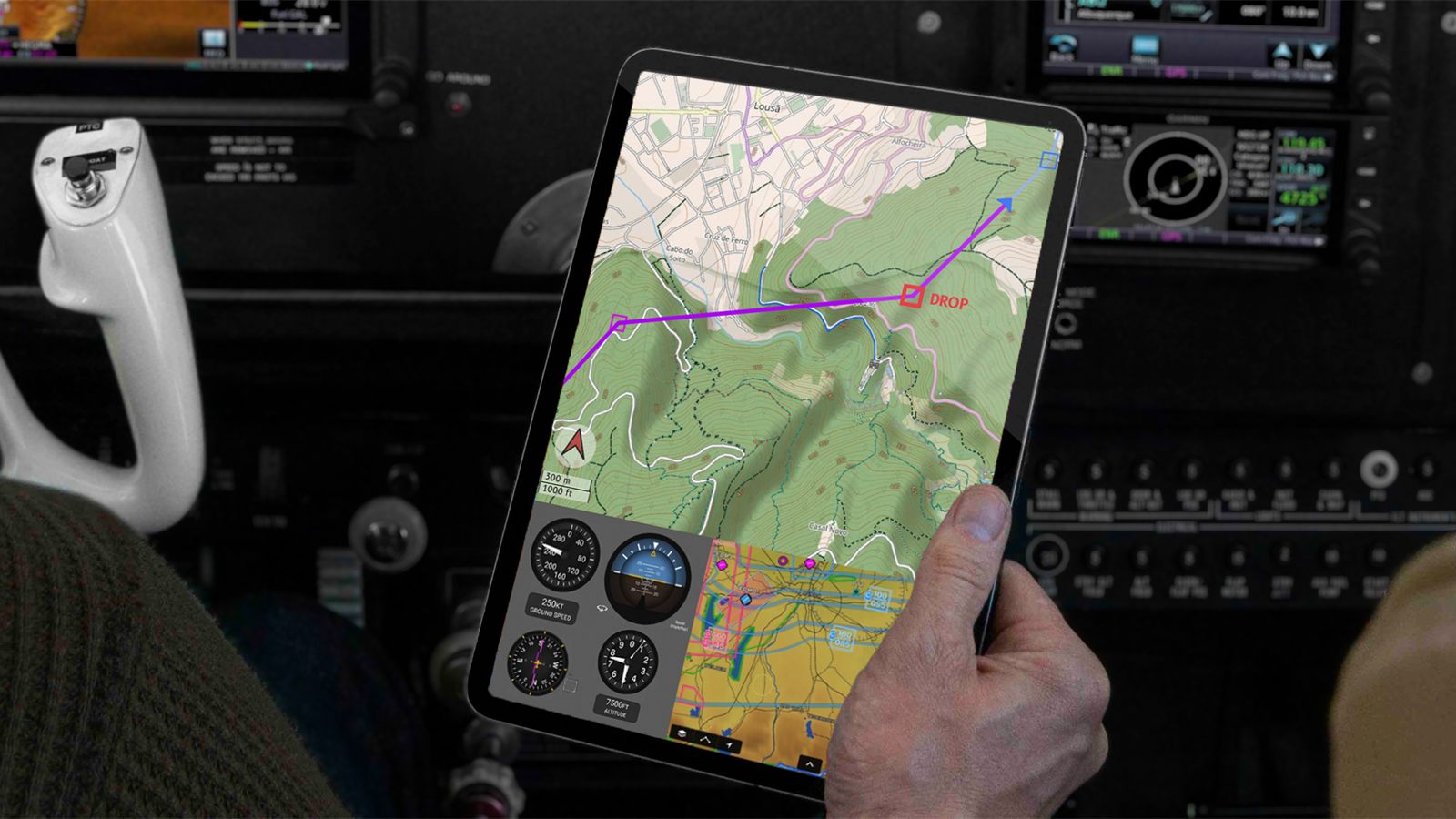
- Scope
- Screens · Controls · Displays
- Domains
- Cockpits · Vehicles · Equipment
- Methods
- Studies · Mockups · Testing
- Recent
- Data Blanket · LOADSTERS · Phinergy
- Studio
- Bothell, WA · Seattle area
Less to think about. Fewer errors.
The interface is where people and machines meet, and where many avoidable errors begin. When an operator has to search for a reading, decode a symbol or remember a sequence, that effort is taken from the task in front of them.
We design interfaces that reduce that cognitive load: clear hierarchies, controls that match the way people think about the machine, and states that are hard to misread. The result is a product that is faster to learn, safer to run and easier to support.
We work on both sides of the glass, the software on the screen and the physical controls around it, because operators experience them as one thing.
Cockpit & flight-deck tools
Layouts, displays and tablet tools for pilots and crews, designed around each phase of the mission.
CockpitVehicle & operator stations
Driver and operator stations for transit, specialty and commercial vehicles: reach, sightlines and controls.
VehicleEquipment controls
Buttons, status lights and panels that work with gloves on, in noise and in bad light.
PanelSystem & monitoring UI
Software for people who monitor and control complex systems, from energy equipment to drones in the field.
UIHuman factors studies
Task analysis, user studies and usability testing, from early concepts to pre-production.
HFTraining interfaces
Interactive digital twins that teach the interface before the first shift.
VITE →A cockpit tool for the fire line.
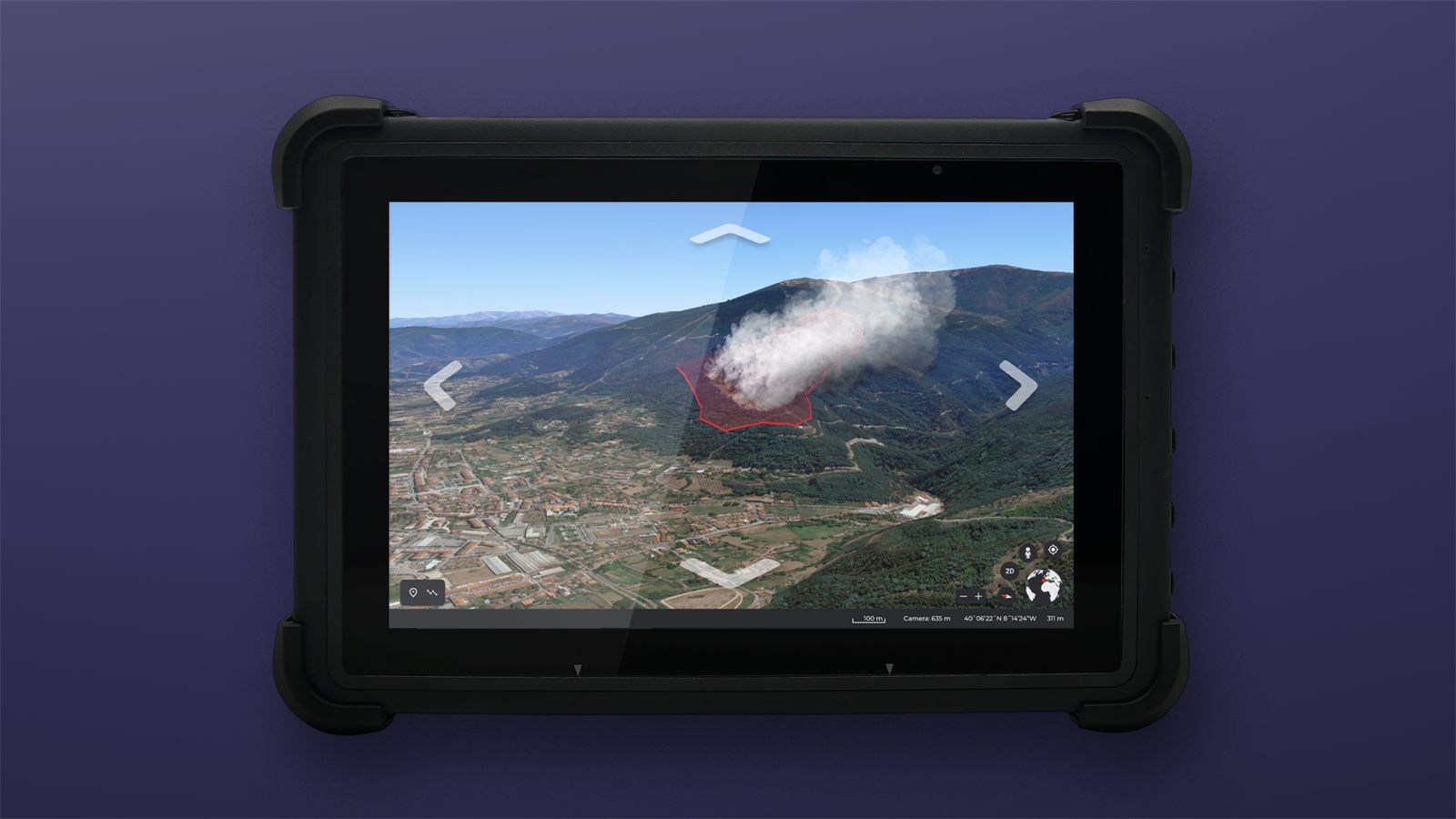
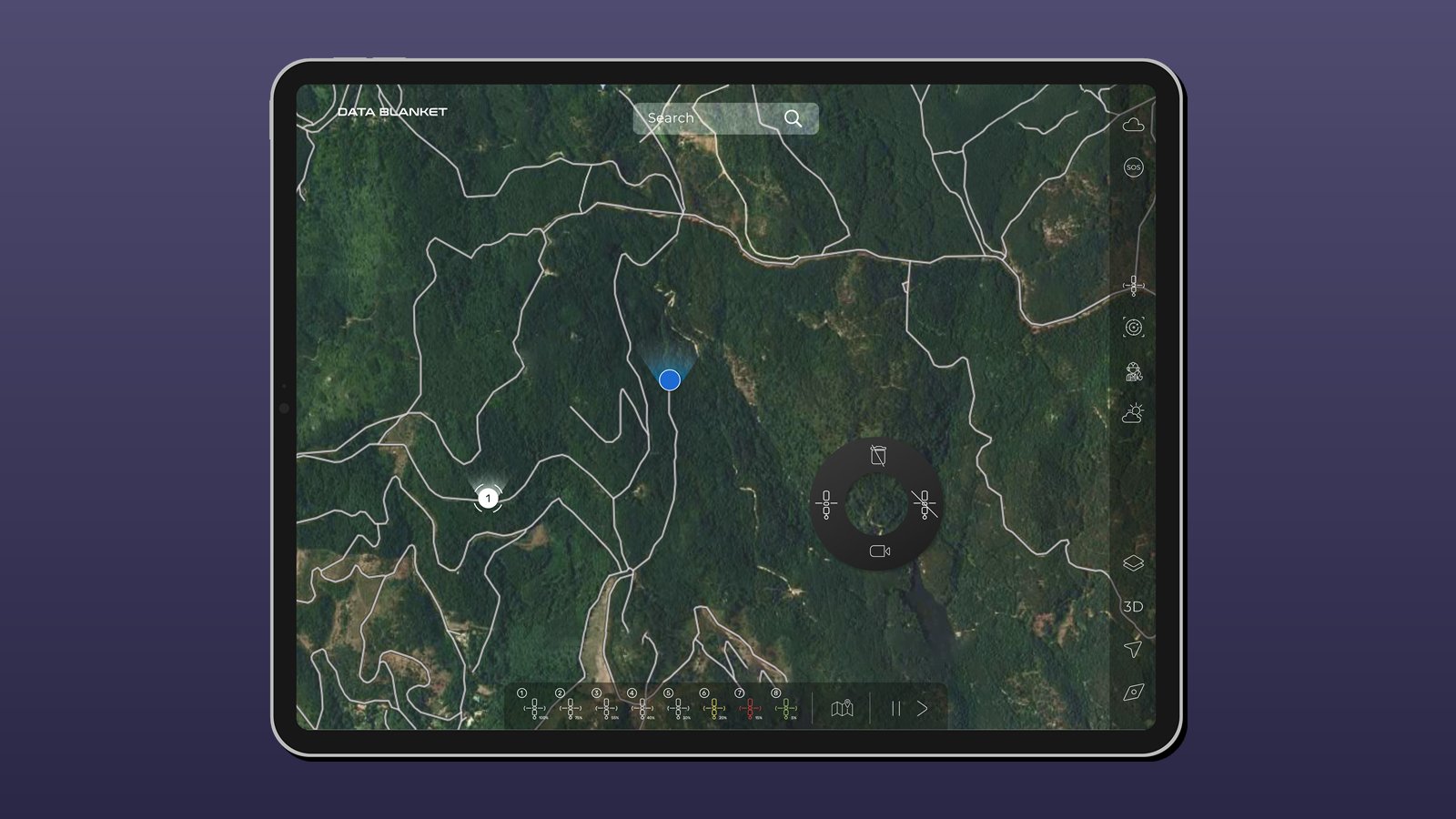
Data Blanket builds AI-driven intelligence for the world's most dangerous jobs, starting with drones that map wildfires. As the startup's design agency, we designed the field tablet interface for pilots and crews: a terrain map with the flight path to a drop point, a live wildfire view, and a mission map with team locations and a drone control dial.
We also created the system concept visuals, the brand, the website and the pitch slides, so investors and partners could see how the system works in the field before it existed.
Three buttons, no doubt.
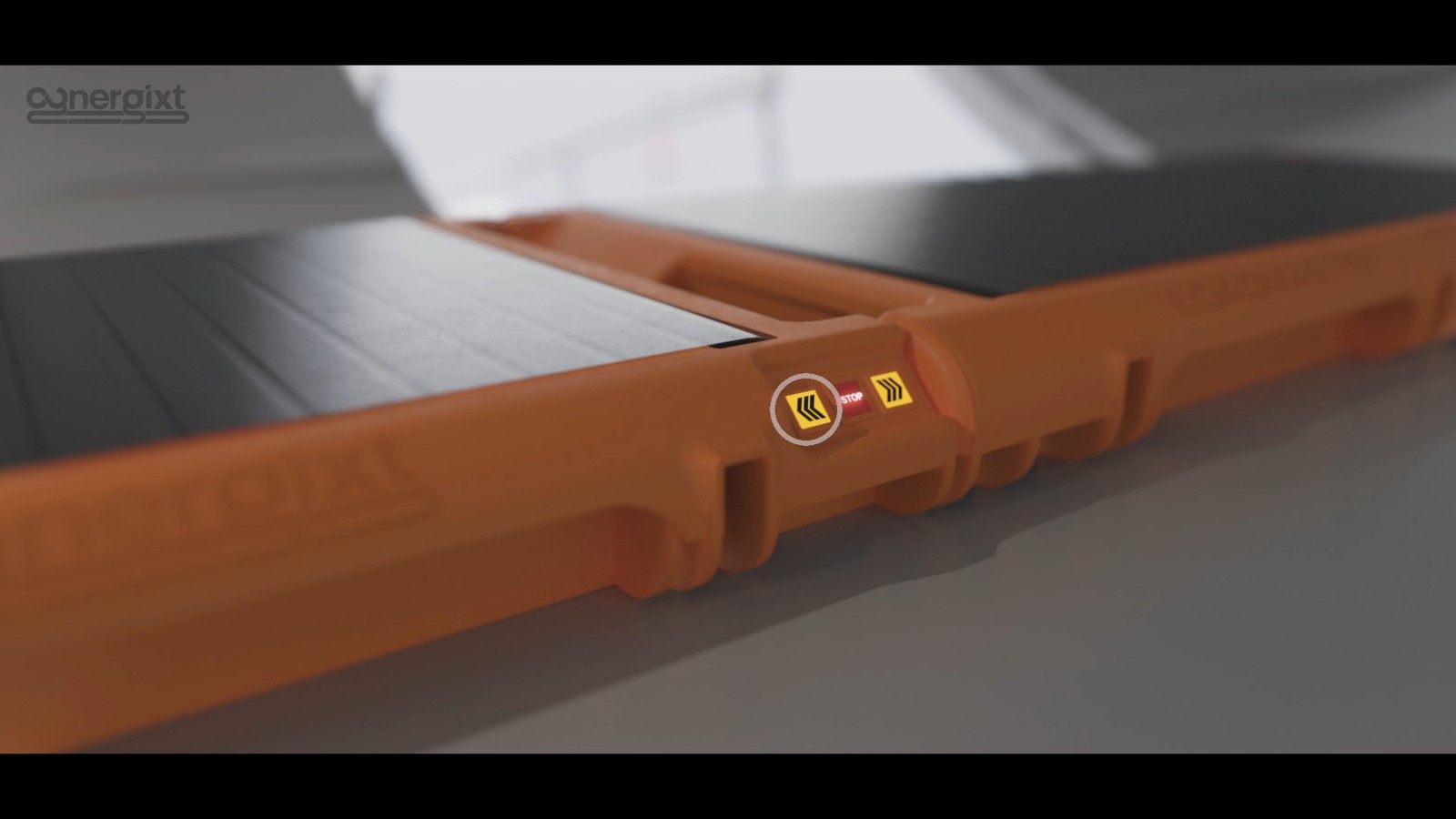
For LOADSTERS, we developed portable conveyor modules that link into a powered line inside an aircraft's cargo hold. The controls are deliberately simple: illuminated forward, stop and reverse buttons on every module, with a red stop set between the two directions so it is never confused with them. Each module carries up to 150 lb.
We designed and tested the systems proof of concept that showed it works. Read more on ground support equipment design.
New technology, familiar controls.
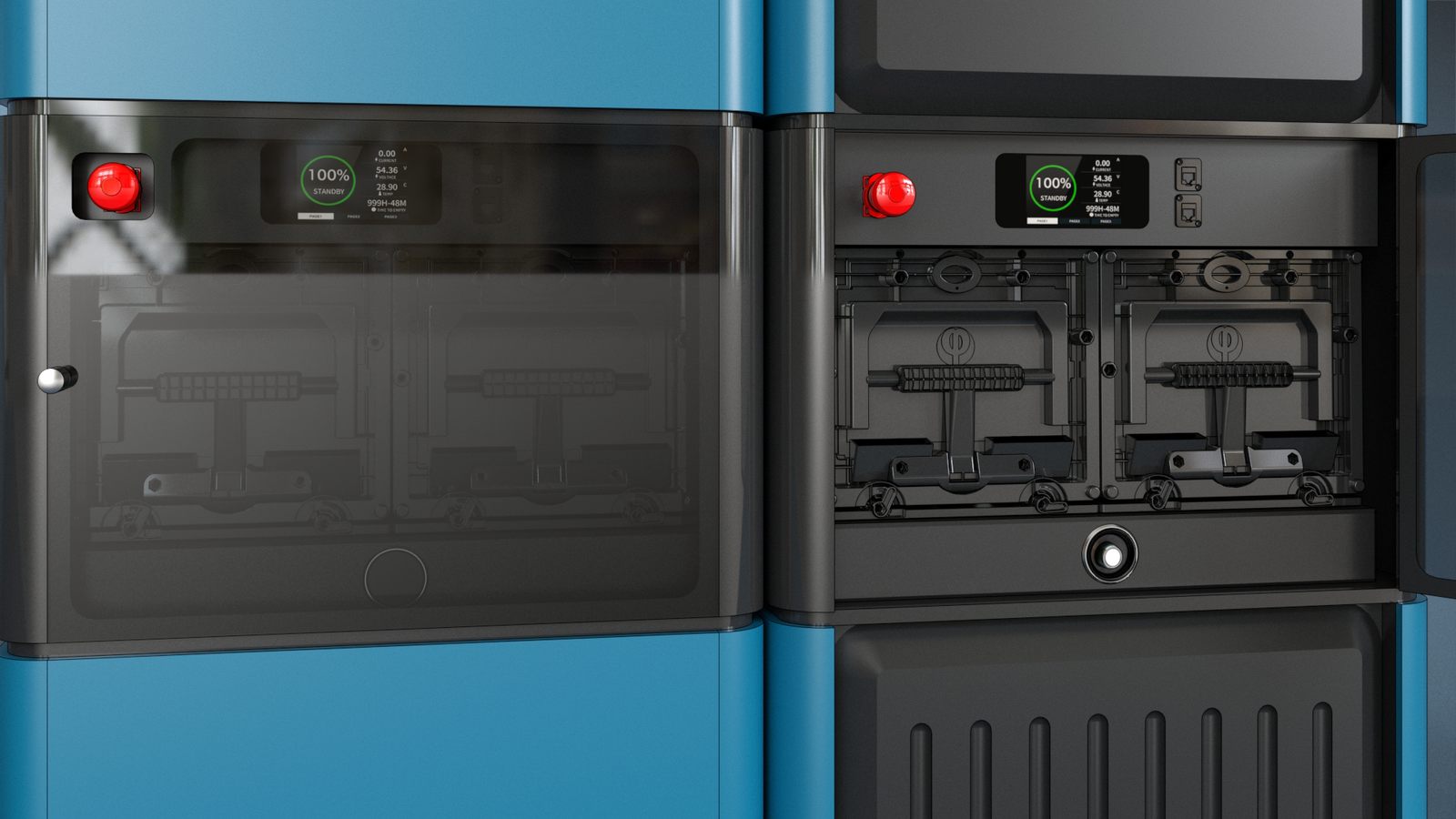
For Phinergy's Aluminum-Air Generator, zero-emission backup power whose 72 kW / 1.4 MWh module was tested in October 2026, we designed the system UI operators use to see the state of the system and control it, alongside the enclosure design. Read the news.
On a modular zero-emission backup power system, we placed controls and status at eye level and gave each unit a clear visual language, so a full installation reads as one system.
Map the task. Then draw the screen.
Understand
Task analysis with real operators, the operating environment, and the standards you work to, including FAA and EASA.
Map
Mission phases, information needs and failure cases mapped before a single screen is drawn.
Design
Screen flows, control layouts and a visual language for states, alarms and feedback.
Prove
Clickable prototypes, mockups and usability tests, then specifications and assets for your engineers.
Our co-founder Konstantin Ziman was previously Head of Design at Eviation Aircraft, and our consultant Blake Emery is a former Boeing director of differentiation strategy. Meet the studio.
Common questions
More in the services FAQ
What is HMI design?
HMI (human-machine interface) design shapes how people see, understand and control a machine: screens, displays, physical controls, alerts and feedback. Good HMI design reduces cognitive load, so operators make fewer errors and learn faster.
Do you design the software screens or the physical controls?
Both. We design screen flows and visual interfaces, and the physical controls, panels and operator stations around them, because operators experience them as one system.
Can you work with our engineers and software team?
Yes. We work as part of your program and hand over interaction specifications, screen designs, style guides and assets your developers can build from. Your engineering team keeps ownership of the software, its implementation and certification.
How do you test an interface before it is built?
With clickable prototypes, physical and digital mockups and usability sessions with real operators. For complex procedures we can also build an interactive digital twin, the same technology behind our VITE training.
Are you based in Seattle?
Our studio is in Bothell, Washington, in the Seattle metropolitan area. We meet clients on site across Seattle and the Puget Sound region and work remotely with teams across the United States and abroad.